


User experience has always been about reducing friction. But in an AI-driven world, friction no longer comes only from confusing layouts or poor navigation. It comes from uncertainty. From systems that behave differently over time. From interfaces that feel intelligent but fail to communicate why they act the way they do.
This is where UI/UX design & AI-native experiences demand a fundamentally different approach. Traditional digital products respond to user input in predictable ways. AI-native products do not. They learn, adapt, infer intent, and sometimes act autonomously. Designing for that level of intelligence requires more than visual polish. It requires rethinking how users build trust, maintain control, and feel confident interacting with adaptive systems.
At this intersection, UI/UX design & AI-native experiences become less about interface polish and more about shaping how users perceive, trust, and collaborate with intelligent systems.
In practice, UI/UX design & AI-native experiences require intentional design decisions that help users understand, trust, and work confidently with adaptive intelligence from the very first interaction.
AI-native experiences are not created by simply adding machine learning features to an existing interface. They are shaped by how intelligence is revealed, how uncertainty is handled, and how decisions are explained. When these elements are poorly designed, users feel confused or disengaged. When they are thoughtfully orchestrated, AI fades into the background and the experience feels natural, supportive, and intuitive.
Many organizations underestimate this shift. They invest heavily in models and automation while relying on legacy UX patterns that were never meant to support probabilistic behavior. The result is a gap between what the system can do and what users actually understand or trust. This is why UI/UX design has become a strategic layer in AI-native product development rather than a finishing touch.
Teams that succeed with intelligent products treat experience design as a bridge between human expectations and machine-driven behavior. They design interfaces that clarify intent, surface confidence cues, and guide users through moments of ambiguity. This approach transforms AI from a black box into a collaborative tool. When executed well, UI/UX design & AI-native experiences transform AI from a hidden engine into a visible, reliable partner in everyday decision-making.
Companies building modern digital products increasingly look for partners who can bridge design systems with intelligent architectures. Solutions developed with this approach show how thoughtful UI/UX decisions can make advanced AI-driven functionality feel clear, usable, and trustworthy. You can explore how this approach supports scalable digital experiences at Techsila.
What “AI-Native Experiences” Really Mean in UI/UX
The term AI-native is often misunderstood. Many products label themselves as AI-powered simply because they include machine learning models or automation features. In reality, UI/UX design & AI-native experiences go far beyond embedding intelligence into an existing interface. An AI-native experience is one where intelligence shapes the experience itself, not just the functionality behind it.
In traditional UI/UX design, user flows are largely deterministic. A user clicks a button, the system responds in a predefined way. Even complex applications rely on predictable cause-and-effect relationships. AI-native systems break this pattern. They operate on probabilities, patterns, and continuous learning. This means the same user action may not always produce the same outcome, and that variability must be designed for, not hidden.
An AI-native experience treats intelligence as a core design material. The interface anticipates user needs, adapts over time, and responds contextually rather than reactively. This requires designers to think beyond screens and flows and focus instead on intent, confidence, and feedback. The experience must answer unspoken questions such as: Why did the system make this choice? Can I trust this suggestion? What happens if it gets it wrong?
A key distinction lies between AI-assisted and AI-native products. AI-assisted experiences use intelligence to optimize isolated tasks, such as recommendations or search ranking, while leaving the broader experience unchanged. AI-native experiences, on the other hand, are built around intelligence from the start. Navigation, content hierarchy, interaction patterns, and feedback loops are all influenced by how the system learns and adapts. In practice, UI/UX design & AI-native experiences require designers to account for learning behavior, probabilistic outcomes, and evolving system responses from the very first interaction.
This shift has direct implications for UI/UX design decisions. Designers must account for uncertainty, design states for partial confidence, and create interfaces that gracefully evolve as the system improves. Silence, transparency, and restraint become just as important as visual clarity. Overexposing intelligence can overwhelm users, while hiding it entirely erodes trust.
Pro Tip: When designing AI-native experiences, always identify moments where the system’s confidence is low. These moments require stronger UX support, not more automation.
Understanding what truly defines AI-native experiences is essential before attempting to design them. Without this foundation, teams risk building interfaces that look modern but fail to support how intelligent systems actually behave. This conceptual clarity sets the stage for rethinking how UI/UX design has evolved alongside AI and why legacy patterns often fall short. Without this mindset, teams risk building products that claim intelligence but fail to deliver coherent UI/UX design & AI-native experiences at scale.
The Evolution of UI/UX Design in the Age of AI
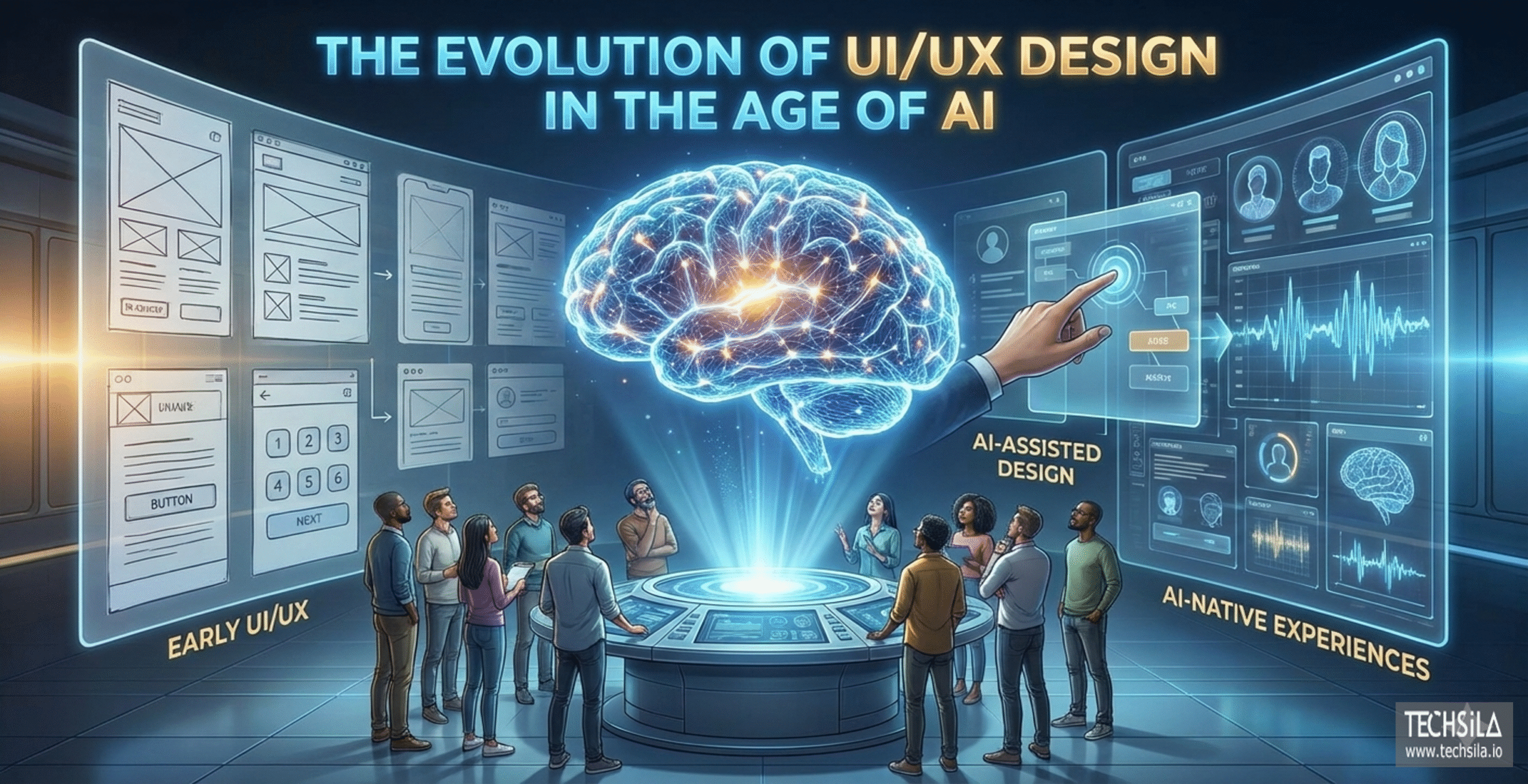
UI/UX design has always evolved alongside technology, but the rise of intelligent systems represents a deeper shift than previous transitions. The move from desktop to mobile changed screen sizes and interaction patterns. The move to AI changes how products behave, decide, and respond. This evolution forces designers to rethink long-standing assumptions about control, predictability, and user intent, particularly within UI/UX design & AI-native experiences.
Early UI/UX design focused on clarity and efficiency within fixed systems. Interfaces were built around linear flows, clearly labeled actions, and consistent outcomes. Designers could map every possible state because the system itself did not change its behavior over time. As software grew more complex, design systems and usability heuristics helped maintain consistency, but the underlying logic remained rule-based.
The introduction of data-driven features began to stretch these models. Recommendation engines, personalization, and predictive search introduced variability into user experiences. However, these were often treated as enhancements layered on top of traditional interfaces. The core UX patterns remained static, even as intelligence increased behind the scenes, limiting the potential of early UI/UX design & AI-native experiences.
AI-native products break this separation. The system is no longer just responding to user input. It is interpreting behavior, learning from patterns, and adjusting its outputs dynamically. This fundamentally alters the relationship between user and interface. Instead of navigating a predefined flow, users interact with a system that evolves. Designing for this requires a shift from static UX thinking to adaptive experience design.
One of the most significant changes is the move from deterministic to probabilistic design. This shift has been widely discussed in UX research, particularly around how uncertainty and system confidence affect user trust in AI-driven interfaces, a topic explored in depth by the Nielsen Norman Group’s research on AI and user experience. In AI-driven systems, outcomes are based on likelihood rather than certainty. This introduces ambiguity that traditional UI/UX design patterns were never meant to handle. Error states are no longer just technical failures. They include moments where the system is unsure, partially correct, or contextually misaligned with user expectations.
As a result, modern UI/UX design & AI-native experiences prioritize communication over control. Designers must help users understand system behavior without overwhelming them with technical detail. Interfaces need to signal confidence levels, allow easy correction, and support learning on both sides. The user adapts to the system, and the system adapts to the user.
This evolution has also expanded the role of designers. UI/UX professionals are no longer focused solely on visual hierarchy and usability testing. They collaborate closely with data scientists, engineers, and product strategists to shape how intelligence is surfaced within the experience. Design decisions influence how users perceive accuracy, fairness, and reliability.
Organizations that recognize this shift early gain a competitive advantage. They move beyond retrofitting AI into existing products and instead design experiences that align with how intelligent systems actually function.
Core Principles of Designing AI-Native User Experiences
Designing effective UI/UX design & AI-native experiences requires more than adapting existing usability rules. AI introduces uncertainty, learning behavior, and autonomous decision-making, all of which demand new principles to guide design choices. Without these principles, even the most advanced intelligence can feel confusing or untrustworthy to users.
Below are the foundational principles that separate thoughtful AI-native experiences from surface-level implementations and support long-term UI/UX design & AI-native experiences at scale.
4.1 Transparency and Explainability
AI systems often operate as black boxes, but user experiences should not. Transparency in AI-native UX does not mean exposing technical complexity. It means helping users understand what the system is doing and why it is doing it in a way that aligns with their mental models.
Clear microcopy, contextual hints, and subtle feedback signals play a critical role here. When users receive recommendations, predictions, or automated actions, the interface should offer just enough explanation to build confidence without creating cognitive overload. Transparency reduces anxiety and prevents users from feeling manipulated by invisible logic.
4.2 Human Control and Confidence
AI-native experiences must always preserve a sense of human agency. Users should feel supported by intelligence, not overridden by it. Interfaces that remove control in the name of automation often trigger resistance and mistrust.
Effective UI/UX design introduces AI as a collaborator rather than an authority. This includes allowing users to override decisions, adjust preferences, and easily recover from mistakes. Confidence grows when users know they remain in control, even as the system adapts in the background.
Pro Tip: If a user cannot easily undo an AI-driven action, the experience is likely over-automated.
4.3 Progressive Disclosure of Intelligence
One of the most common mistakes in AI product design is showing too much intelligence too soon. Not every user needs to see every capability at once. Progressive disclosure allows the experience to reveal intelligence gradually, based on user intent, behavior, and readiness.
This approach keeps interfaces clean while still enabling advanced functionality. As users become more familiar with the system, the experience can surface deeper insights and smarter automation. This principle is essential for maintaining clarity in AI-native products that evolve over time and for sustaining consistent UI/UX design & AI-native experiences.
4.4 Trust, Ethics, and Predictability
Trust is the currency of AI-native experiences. Users must believe that the system is acting in their best interest. Ethical considerations such as bias, fairness, and data usage directly influence UX outcomes, even when users are not consciously aware of them.
Predictability does not mean identical outcomes every time. It means consistent reasoning and understandable behavior. When users can anticipate how the system will respond, even imperfect outcomes feel acceptable. Strong UI/UX design makes ethical AI tangible through clear interactions, transparent feedback, and respectful boundaries.
Much of this thinking aligns with established human-centered AI design frameworks, particularly research that emphasizes transparency, fairness, and user agency in intelligent systems.
Organizations that embed these principles into their design process are far better positioned to build AI-native products that scale with trust and clarity. This is where a purpose-built UI/UX strategy for AI-native systems becomes essential.
The Role of Data in Shaping AI-Driven UX
Data is the invisible layer that defines the quality of UI/UX design & AI-native experiences. While users may never see datasets or models directly, they experience the outcomes of data decisions every time they interact with an intelligent system. Accuracy, relevance, and trust are not only technical concerns. They are experiential ones.
In AI-native products, data determines how the system interprets intent, adapts to behavior, and improves over time. Poor data quality leads to confusing recommendations, inconsistent personalization, and erosion of user confidence. Even the most polished interface cannot compensate for intelligence that feels unreliable or misaligned with user expectations in UI/UX design & AI-native experiences.
One of the most critical UX challenges tied to data is the cold start problem. When systems lack sufficient context, early interactions often feel generic or inaccurate. From a UX perspective, this is a fragile moment. Users form first impressions quickly, and early friction can permanently reduce adoption. Effective UI/UX design anticipates this phase by setting expectations clearly and offering guidance while the system learns.
Feedback loops also play a defining role in AI-driven experiences. Every interaction teaches the system something new, but users need to understand how their actions influence outcomes. Subtle cues such as confirmation states, preference adjustments, or visible learning indicators help users feel like participants rather than data sources. When feedback loops are invisible, users may feel ignored or misunderstood.
Bias is another area where data and UX intersect directly. Bias is not only an ethical or statistical issue. It becomes a user experience problem when recommendations feel unfair, irrelevant, or exclusionary. Thoughtful design can mitigate this by offering transparency, control, and corrective pathways that allow users to influence outcomes when the system misses the mark.
Designers working on AI-native products must collaborate closely with data and engineering teams. Decisions about what data is collected, how it is weighted, and how quickly it influences the system all shape the experience. UI/UX design acts as the translation layer, turning complex data behavior into signals users can understand and trust.
Pro Tip: If users cannot tell whether the system is improving over time, the data feedback loop is likely failing at the experience level.
Understanding the role of data helps teams design interfaces that feel intelligent rather than erratic.
Designing for Adaptation: Personalization Without Chaos
Personalization is often presented as the defining benefit of AI-driven products. When done well, it makes experiences feel relevant, efficient, and responsive. When done poorly, it creates inconsistency and confusion. Designing adaptive systems is one of the most delicate challenges in UI/UX design & AI-native experiences, because every adjustment alters how users perceive control and predictability.
AI-native interfaces continuously respond to behavior, context, and preference signals. This adaptability can enhance engagement, but only when changes feel intentional rather than random. Users need a stable mental model of the product. If layouts, content, or actions shift too frequently, that model breaks down, even if the system is technically improving within broader UI/UX design & AI-native experiences.
The key is distinguishing between meaningful personalization and unnecessary variation. Not every element needs to adapt. Core navigation, primary actions, and critical workflows should remain consistent to anchor the experience. Personalization works best when applied to content prioritization, recommendations, and contextual assistance rather than structural changes.
Context-aware design plays a central role here. AI-native experiences should adapt based on situational relevance, not just historical data. Time, device, user intent, and recent behavior all influence what feels helpful in the moment. UI/UX design must decide when adaptation adds value and when it becomes noise.
Another important consideration is restraint. Intelligent systems do not need to speak at every opportunity. Silence can be a powerful design choice. Over-automation often manifests as excessive suggestions, prompts, or interruptions. These patterns can lead to fatigue and disengagement. Effective AI-native UX respects user attention and intervenes only when the impact is clear.
Pro Tip: If personalization changes the interface but not the outcome, it is likely adding complexity without value.
Designers must also consider how users perceive fairness in adaptive systems. When two users receive different experiences, the system should still feel equitable. Clear preference controls and visible customization options help users understand and influence how personalization works. This transparency reinforces trust without exposing technical complexity.
Organizations that approach personalization strategically often rely on strong UI/UX foundations to maintain balance as systems scale. Working with experienced design teams and established design frameworks helps ensure adaptive experiences evolve gracefully rather than unpredictably.
Conversational Interfaces and Multimodal UX
As AI-native products mature, interaction is no longer limited to screens, buttons, and visual hierarchies. Conversational and multimodal interfaces are becoming central to UI/UX design & AI-native experiences, introducing new ways for users to communicate intent and receive feedback. These interfaces shift interaction from navigation to dialogue, and from visual cues to language, voice, and context.
Conversational interfaces, particularly chat-based experiences, feel intuitive because they mirror human communication. However, this familiarity can be misleading. Designing effective conversational UX is not about mimicking human conversation perfectly. It is about managing ambiguity, setting expectations, and guiding users through open-ended interactions without friction within broader UI/UX design & AI-native experiences.
One of the primary challenges in conversational UX is intent interpretation. Users often phrase requests imprecisely or change direction mid-conversation. The experience must gracefully handle misunderstandings without making users feel at fault. Well-designed conversational systems acknowledge uncertainty, ask clarifying questions, and offer corrective pathways rather than presenting incorrect outputs with confidence.
Multimodal UX extends this complexity further. AI-native experiences increasingly combine text, voice, visuals, and gestures into a single interaction model. Users may start an interaction through voice, continue through touch, and receive feedback visually. UI/UX design must ensure continuity across these modes so the experience feels cohesive rather than fragmented.
Feedback becomes especially critical in non-visual interactions. Without clear visual states, users rely on timing, tone, and response quality to understand system behavior. Delays, abrupt responses, or overly verbose outputs can quickly erode trust. Designers must carefully calibrate how much information is presented and how quickly the system responds.
Another common pitfall is over-anthropomorphism. While conversational interfaces feel human-like, they should not promise human-level understanding. When systems present themselves as more capable than they are, errors feel more personal and less forgivable. Thoughtful UX design sets realistic expectations through language choices, response framing, and interaction boundaries.
Pro Tip: In conversational AI, clarity matters more than personality. A helpful, predictable response builds more trust than a clever one.
Successful conversational and multimodal experiences treat conversation as a tool, not a novelty. They integrate seamlessly with existing workflows and support users when language alone is insufficient. This balance allows UI/UX design & AI-native experiences to remain accessible without sacrificing reliability.
UX Challenges Unique to AI-Native Products
AI-native products introduce a set of UX challenges that do not exist in traditional software. These challenges stem from uncertainty, learning behavior, and the evolving nature of intelligent systems. Addressing them effectively is essential for building UI/UX design & AI-native experiences that users trust rather than tolerate.
One of the most visible challenges is uncertainty. AI systems do not always produce definitive answers. They generate outputs based on probability, which means there will be moments of partial accuracy or ambiguity. When interfaces present uncertain results with absolute confidence, users quickly lose trust. UX design must create space for nuance by signaling confidence levels, offering alternatives, or framing outputs as suggestions rather than conclusions within broader UI/UX design & AI-native experiences.
Hallucinations represent another critical issue. When AI systems produce incorrect or fabricated information, the impact on user experience can be severe. From a UX perspective, the problem is not just the error itself but how the system responds afterward. Effective experiences acknowledge mistakes, allow users to correct them, and recover gracefully without placing blame on the user.
Over-trust is an equally serious concern. As AI-native experiences become more polished, users may assume the system is more capable than it actually is. This false sense of reliability can lead to poor decisions, frustration, or even harm in sensitive contexts. UI/UX design plays a key role in setting appropriate expectations through language, feedback, and interaction constraints.
Under-trust presents the opposite problem. Users who do not understand how an AI system works may hesitate to rely on it, even when it performs well. This often occurs when intelligence is hidden or poorly explained. Balancing transparency with simplicity is critical for overcoming skepticism without overwhelming users.
Error handling in AI-native products also differs from traditional UX patterns. Errors are no longer limited to system failures or invalid inputs. They include misinterpretations, outdated assumptions, and learning delays. Designers must account for these states explicitly and design responses that feel supportive rather than technical.
Pro Tip: Treat AI errors as part of the experience, not exceptions. Designing for recovery builds more trust than designing for perfection.
Finally, ethical considerations surface directly in user experience. Issues such as bias, privacy, and data usage influence how users perceive fairness and safety. Even subtle design choices can reinforce or mitigate these concerns. AI-native UX must reflect ethical intent through respectful interactions and clear user controls.
Measuring UX Success in AI-Native Experiences
Measuring success in UI/UX design & AI-native experiences requires a shift away from purely traditional UX metrics. While usability, task completion, and engagement still matter, they are no longer sufficient on their own. AI-native systems introduce behaviors that evolve over time, making success a moving target rather than a fixed outcome.
Traditional UX metrics assume consistency. A flow either works or it does not. In AI-native products, experiences change as the system learns. This means UX measurement must account for confidence, trust, and user perception in addition to efficiency. A system that technically performs well but leaves users uncertain or skeptical cannot be considered successful.
One of the most important signals in AI-native UX is user confidence. Do users act on recommendations or ignore them. Do they accept automated decisions or override them. These behaviors reveal whether intelligence is perceived as helpful or intrusive. Confidence is often reflected in repeat usage patterns, reduced manual intervention, and willingness to delegate decisions to the system.
Trust is another critical dimension. Unlike traditional interfaces, AI-native experiences ask users to rely on outputs they cannot fully verify. Trust signals appear in how frequently users question results, how often they seek explanations, and whether they return after encountering errors. UX design influences these outcomes by shaping how transparent and recoverable the experience feels.
Behavioral validation plays a larger role than self-reported feedback. Users may claim satisfaction while quietly bypassing intelligent features. Observing how users adapt over time provides clearer insight into whether the experience aligns with their expectations. Metrics such as correction frequency, opt-out rates, and personalization adjustments reveal where AI-driven UX succeeds or falls short within broader UI/UX design & AI-native experiences.
Time-based evaluation is also essential. Early interactions may feel imperfect as systems learn, but successful AI-native experiences show measurable improvement from the user’s perspective. UX teams should track whether recommendations become more relevant, interactions become smoother, and friction decreases over repeated use.
Pro Tip: In AI-native products, improvement over time is a UX metric. If users cannot perceive progress, the experience is not learning visibly enough.
Measuring AI-native UX success requires collaboration across design, product, and data teams. Metrics must reflect both system performance and human perception. When these perspectives align, organizations gain a clearer understanding of how intelligence translates into real user value.
Real-World Use Cases Across Industries
The impact of UI/UX design & AI-native experiences becomes most evident when examined through real-world applications. Across industries, intelligent systems are reshaping how users interact with products, make decisions, and perceive value. What differentiates successful implementations is not the sophistication of the AI alone, but how thoughtfully the experience is designed around it.
SaaS and Enterprise Platforms
In SaaS environments, AI-native UX often appears in the form of recommendations, automation, and predictive insights. Dashboards that once relied on static data now adapt to user behavior, highlighting what matters most in the moment. The challenge lies in presenting intelligence without overwhelming users who already manage complex workflows.
Well-designed AI-native SaaS experiences prioritize relevance over volume. Instead of surfacing every possible insight, they guide users toward actionable information. UI/UX design ensures that predictions feel supportive rather than directive, allowing users to validate and adjust outcomes easily. This balance increases adoption and reduces resistance to automation.
Healthcare and Wellness Applications
Healthcare applications demand a higher level of trust and clarity. AI-native experiences in this space often support diagnosis, monitoring, or personalized recommendations. Here, UX design plays a critical role in communicating uncertainty and safeguarding user confidence.
Interfaces must clearly differentiate between suggestions and clinical decisions. Subtle design cues, language choices, and feedback mechanisms help users understand the limits of AI without diminishing its usefulness. In healthcare, AI-native UX is as much about reassurance as it is about efficiency.
Fintech and Financial Services
In fintech, AI-native experiences influence financial decisions that carry real consequences. Fraud detection, credit scoring, and personalized financial advice all rely on intelligent systems. Poor UX design in these contexts can quickly erode trust.
Successful fintech platforms use UI/UX design to explain outcomes in accessible ways. When users understand why a transaction was flagged or a recommendation was made, they are more likely to accept the system’s guidance. Transparency and control are essential for maintaining confidence in AI-driven financial tools.
E-commerce and Digital Commerce
E-commerce has long embraced personalization, but AI-native experiences take this further by adapting in real time to user intent. Product discovery, pricing, and promotions increasingly respond to contextual signals rather than static profiles.
The best experiences avoid over-personalization that feels invasive. UI/UX design ensures that recommendations enhance discovery without limiting choice. Clear controls and visible logic help users feel empowered rather than manipulated by intelligent systems.
Across all these industries, a common pattern emerges. AI-native success depends less on technical capability and more on experience quality. Organizations that invest in strategic UI/UX design create products where intelligence feels natural, purposeful, and valuable. Applying these principles at scale requires a disciplined approach to experience strategy that aligns design decisions with how intelligent systems actually behave.
The Future of UI/UX Design in an AI-Native World
The future of UI/UX design & AI-native experiences will be defined less by interfaces and more by orchestration. As AI systems become more capable, the role of design shifts from arranging elements on a screen to shaping how intelligence, data, and human intent work together seamlessly.
Designers will increasingly operate as system thinkers. Instead of designing fixed flows, they will define adaptive frameworks that evolve alongside user behavior and model learning. This shift reflects broader industry conversations around anticipatory AI, where systems move beyond reactive responses and begin supporting users before explicit intent is expressed.
AI-native experiences will increasingly rely on this anticipatory support. Interfaces will surface insights before users ask, but only when timing and context align. This level of subtlety demands careful UX calibration. Poorly timed intelligence feels intrusive, while well-timed guidance feels intuitive within mature UI/UX design & AI-native experiences.
Ethical responsibility will also shape the future of UI/UX design. As AI systems influence decisions in sensitive domains, designers will play a critical role in ensuring experiences remain fair, inclusive, and transparent. UX becomes one of the primary channels through which ethical intent is expressed and enforced.
The distinction between user and system will continue to blur. AI-native products will learn from users while users learn how to work with intelligent systems. Successful experiences support this mutual adaptation through clarity, feedback, and shared understanding. UI/UX design acts as the mediator in this relationship, ensuring collaboration rather than confusion.
Organizations that prepare for this future treat design as a core capability, not a supporting function. They invest early in experience strategy that aligns intelligence with real human needs and allows products to scale gracefully as AI capabilities expand.
Conclusion: Designing Intelligence That Users Trust
The success of AI-driven products will not be determined by how advanced their models are, but by how confidently users can engage with them. As intelligence becomes embedded into everyday digital experiences, the role of UI/UX design & AI-native experiences becomes foundational rather than supportive.
AI-native systems introduce uncertainty, adaptation, and autonomy. Without thoughtful experience design, these qualities create friction instead of value. Users hesitate when systems feel opaque. They disengage when automation removes control. They lose trust when intelligence behaves unpredictably. UI/UX design & AI-native experiences are what turn these risks into strengths by shaping how intelligence is revealed, explained, and experienced. Designing for AI-native experiences means designing for clarity in moments of ambiguity. It means prioritizing confidence over novelty, restraint over excess, and collaboration over automation for its own sake. When users understand why a system behaves the way it does, they are more willing to rely on it. When they feel in control, they are more likely to adopt intelligent features long-term.
Organizations that approach this shift strategically are already seeing the impact. They are building products that feel intuitive despite underlying complexity. They align AI capabilities with real human workflows instead of forcing users to adapt to the system. This is where strong UI/UX design becomes a competitive advantage rather than a cosmetic enhancement. Ultimately, successful UI/UX design & AI-native experiences are defined by how well intelligence is translated into clarity, control, and long-term user trust. If you are evaluating how AI-native UX can elevate your product or platform, the most effective next step is to request a tailored consultation and align your experience strategy with your business goals.
Designing intelligent systems is no longer just a technical challenge. It is an experience challenge. And the teams that solve it well will define how users interact with AI for years to come.
Frequently Asked Questions (FAQs)
1. What makes an experience truly AI-native in UI/UX design?
AI-native experiences are built around intelligent systems that learn, adapt, and shape the interface itself.
2. Why is trust important in AI-driven user experiences?
Users rely on AI recommendations only when the system feels transparent and reliable.
3. How does UI/UX design help users understand AI behavior?
It uses feedback, explanations, and visual cues to clarify how the system makes decisions.
